

Welcome to

Welcome to

We are a customer first organization!
We’re committed to open communication. Our first focus is on customer service, but our engineering developments are what drive our products and ability to create the best possible solution for our customers. We encourage dialogue between our engineers and customers, and this personal style we hope is refreshing in a world of ever-increasing automation. We work hard to offer the best product through the best customer service in the industry. Give us a call today and see for yourself.
We are a customer first organization!
We’re committed to open communication. Our first focus is on customer service, but our engineering developments are what drive our products and ability to create the best possible solution for our customers. We encourage dialogue between our engineers and customers, and this personal style we hope is refreshing in a world of ever-increasing automation. We work hard to offer the best product through the best customer service in the industry. Give us a call today and see for yourself.
FEATURED
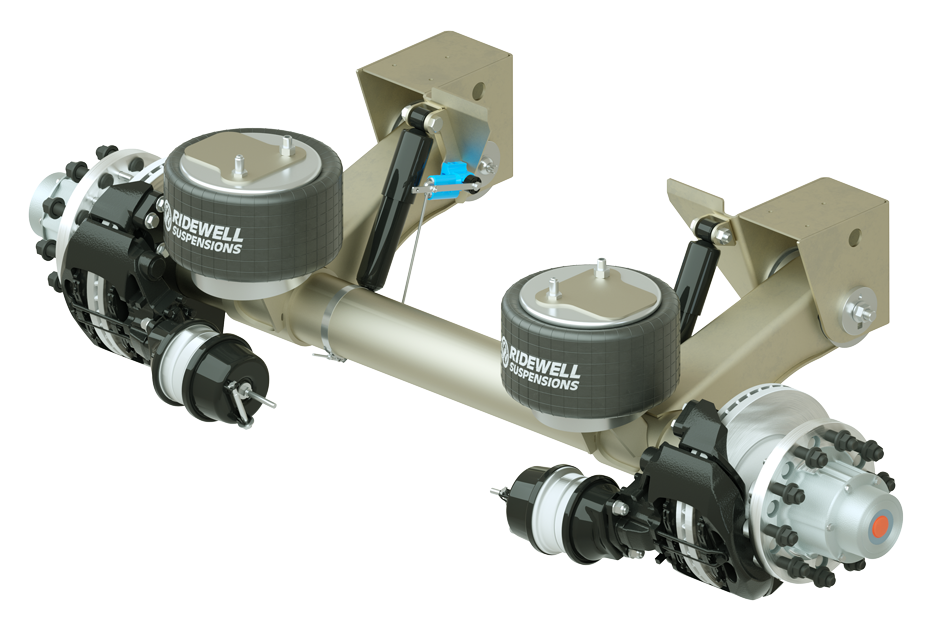
Trailer Air
Suspension
Model RAR-266 lightweight system in
23,000 and 25,000 lb. capacities.
Features include:
- Large diameter axle with captured axle system.
- Axle alignment adjustment of +/- .25” at hanger
- Integrated shock absorber mounting
- Integrated height control valve kit available
FEATURED
Trailer Air
Suspension
Model RAR-266 lightweight system in 23,000 and 25,000 lb. capacities.
Features include:
- Large diameter axle with captured axle system.
- Axle alignment adjustment of +/- .25” at hanger
- Integrated shock absorber mounting
- Integrated height control valve kit available